"Instant Booking" experiences do not require manual confirmation of a booking request from the winery/guide. Once a booking request is received, it is immediately confirmed on the available date and time slot selected by the visitor on WineTourism.com. This feature proves particularly effective when:
- The partner winery/guide has connected their experiences through one of the available API calendars on our platform (Rezdy, Regiondo), ensuring live availability updates.
- The partner winery/guide is able to host visitors at any available time, within the chosen opening hours, without prior confirmation. (E.g. Drop-in visitors)
- The partner winery/guide proactively and regularly updates the calendar in their profile, closing unavailable dates for visits.
Wineries unable to accept last-minute bookings are encouraged to set a minimum notice time, ranging from 1 to 7 days. E.g. an experience may be set as bookable no earlier than 72 hours before the visit.

What are the benefits of enabling the "Instant Booking" feature?
Partners who agree to activate the "Instant Booking" feature enjoy a few benefits thanks to their involvement and increased cooperation.
- Successful bookings on instantly bookable experiences will have an unchanged fee of 15% beyond the 1 March 2024.
- A minimum fee of €5 per person per experience will still be applied on all experiences where price per person is equal or lower than €25.
- Wineries and Wine Guides who activate the Instant Booking feature receive an increased number of bookings and better visibility, also thanks to the distinguished green lightning mark added to their marketplace profile.
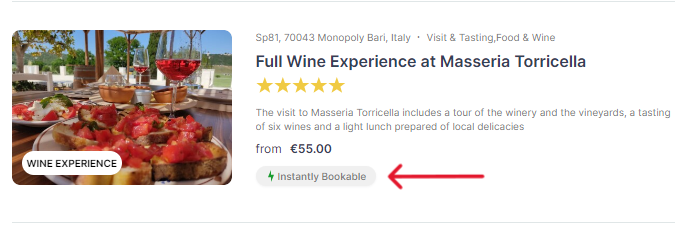
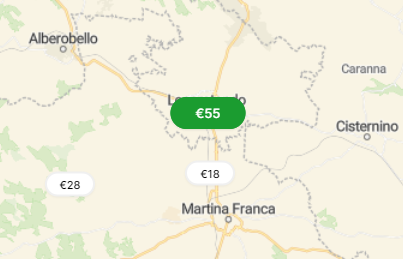
How can I make my experiences instantly bookable?
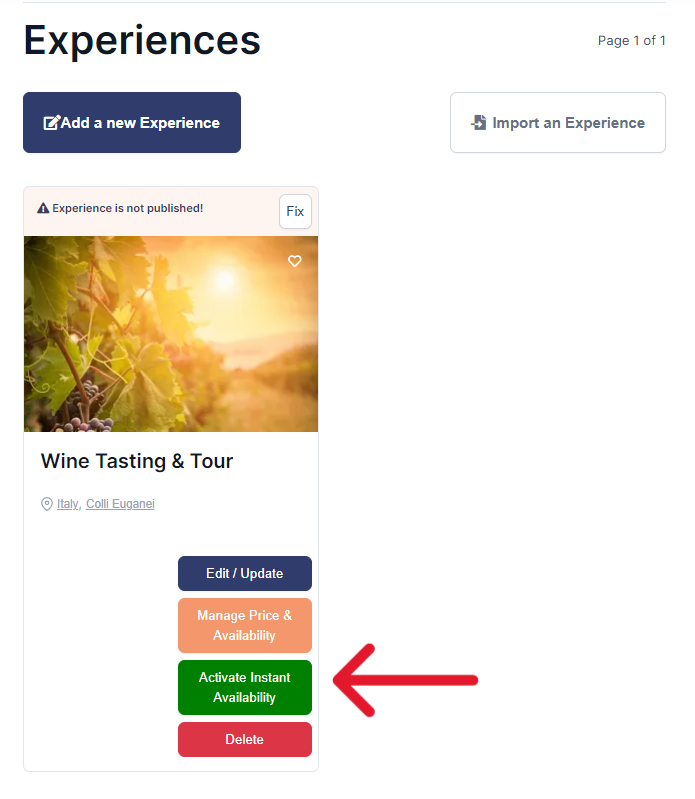
Step 1.
Log into your winery/wine guide profile. Navigate to the "experiences" section. Identify the correct experience you would like to activate the feature on and click on "Activate Instantly Availability"
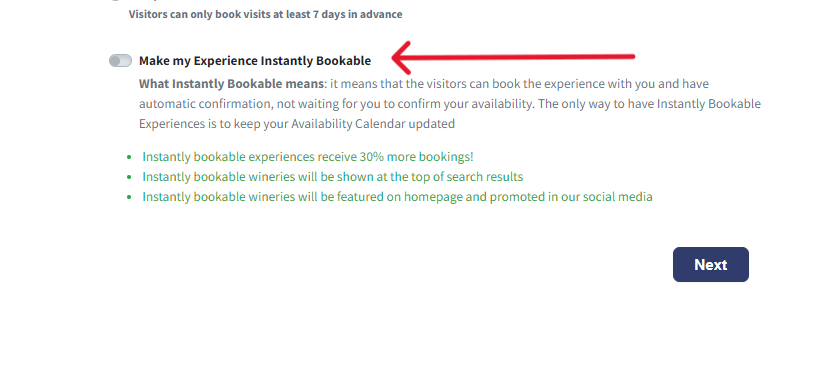
Step 2.
Check the "Instantly Bookable" option.
Step 3.
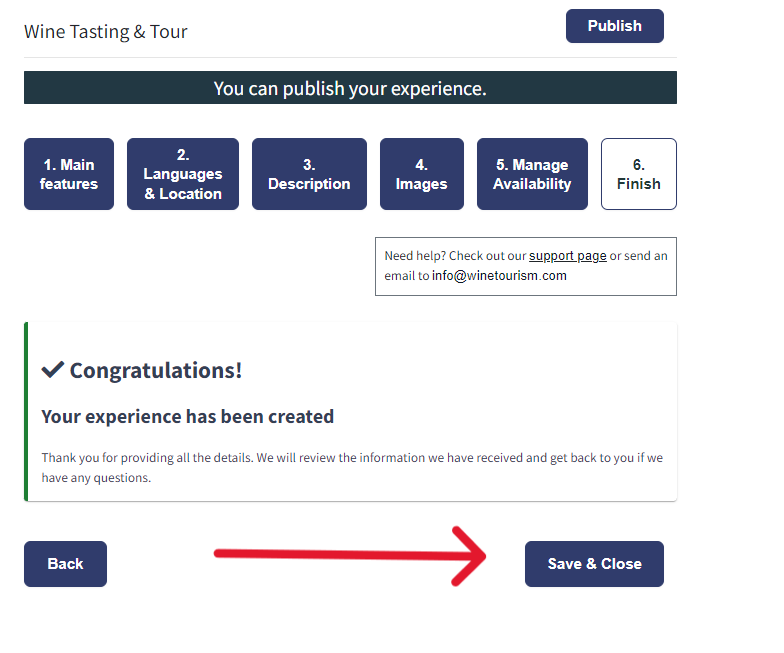
Remember to save your experience to keep the changes!
How can I set a minimum notice time?
Step 1.
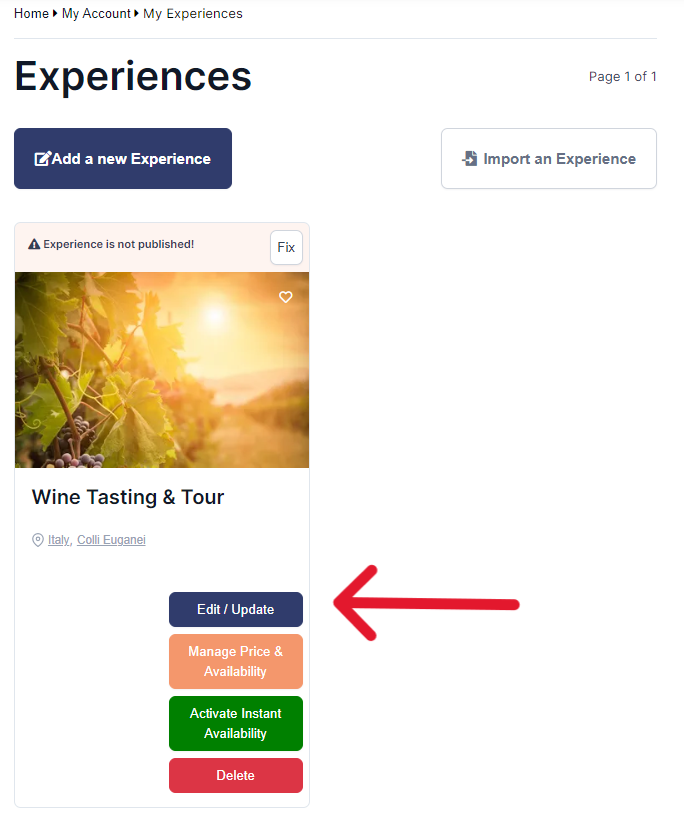
Log into your winery/wine guide profile. Navigate to the "experiences" section. Identify the correct experience you would like to set a notice time for and click on "Edit/Update"
Step 2.
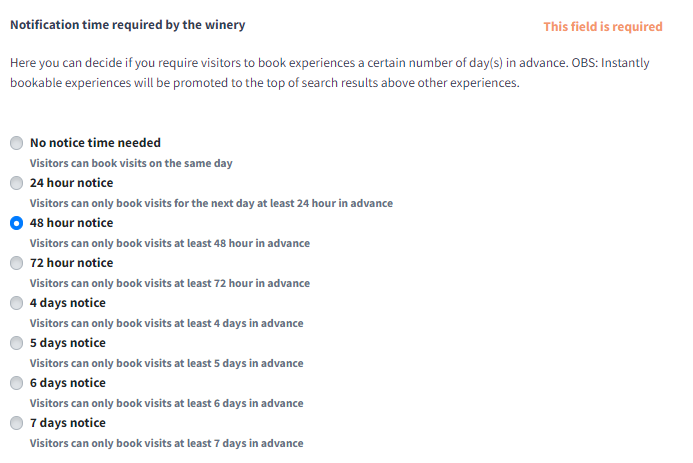
Navigate to the first section "Main Features" and scroll down until you reach the "minimum notice time settings".
Step 3.
Choose a comfortable notice time for you. Remember to save your experience to keep the changes!